delphi 模拟自动登录网页

当前字体大小 15px
12px 50px
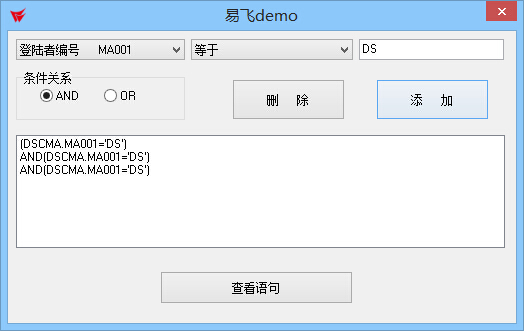
delphi 模拟自动登录网页首先我上张成果图如下

下面我们来看具体实现的代码:
控件啥的就不用我说看吧!
第一步:
//初始化一下控

procedure TForm1.FormCreate(Sender: TObject);
begin
Edit1.Text:=' ';
Edit2.Text:=' ';
Edit3.Text:=' ';
Edit4.Text:=' ';
Label1.Caption:='';
button1.Caption:='打开';
button2.Caption:='登陆';
end;
第二步:
//定义HTTP:string,URLS:string;
procedure TForm1.Button1Click(Sender: TObject);
const
  HTTP:string='http://';
var
  URLS:string;
begin
URLS:=Trim(HTTP) + Trim(edit1.Text) +'/'+ Trim(edit2.Text) +'/src/_Common/AppUtil/FrameSet/EFDBLogin.aspx';
WebBrowser1.Navigate(URLS);
end;
第三步:
//WebBrowser1控件中对网页进行模拟登陆并以Label做提示(Label设为透明
procedure TForm1.Button2Click(Sender: TObject);
var
Doc: IHTMLDocument2;
userinputelement, pwdinputelement: ihtmlinputelement;
iniInfo:TIniFile;
begin
  if((Trim(Edit3.Text)<>'') and (Trim(Edit4.Text)<>'')) then
  begin
    Label1.Caption:='登陆成功';
    Label1.Font.Color:=clRed;
  begin
doc := WebBrowser1.document as ihtmldocument2;
userinputelement := (doc.all.item('txtName', 0) as ihtmlinputelement);
userinputelement.value := Trim(Edit3.Text);
pwdinputelement := (doc.all.item('txtPassword', 0) as ihtmlinputelement);
pwdinputelement.value := Trim(Edit4.Text);
WebBrowser1.OleObject.document.getElementByID('imgBtnLogin').click ;
 end;
   end
    else
    begin
    Label1.Caption:='登陆失败';
    Label1.Font.Color:=clRed;
    end;
begin
   if ((Trim(Edit3.Text)='') or (Trim(Edit4.Text)='')) then
  begin
    Label1.Caption:='帐号或密码为空!';
    Label1.Font.Color:=clRed;
  end;

end;
end;
发表评论